What exactly is a website title?
A website title is the HTML <title> element that names a specific web page. It appears in browser tabs, bookmarks, and as the clickable headline in search results. Users never see it on the page itself, but it is the first thing Google reads to understand your topic.
Where the title lives in your code
You place the title tag inside the <head> section of a page’s HTML. It contains plain text only—no formatting, no images, no extra markup. A typical homepage title looks like this:
<title>Responsive Web Design & Secure Hosting | 360Locker</title>
That single line tells a search engine the page’s core topic before it even loads visible content. The code is invisible to visitors browsing the page, but it shapes their first impression from the search results screen.
Not the same as your headline
Confusing a website title with a page headline is a common mistake. The headline—coded as an <h1> tag—sits visibly on the page in large text. It greets the reader with what the page offers. The title works silently behind the scenes.
You can think of the headline as a handshake when someone walks in the door. The title is the sign outside that convinced them to enter. Both matter, but they do different jobs.
One page, one title
Every page on your site needs its own unique title. A homepage might say “Secure Web Hosting & Site Migration | 360Locker,” while a services page reads “Custom App Development for iOS & Android | 360Locker.” Repeating the exact same title across multiple pages confuses search engines and wastes your chance to rank for different terms.
On this page
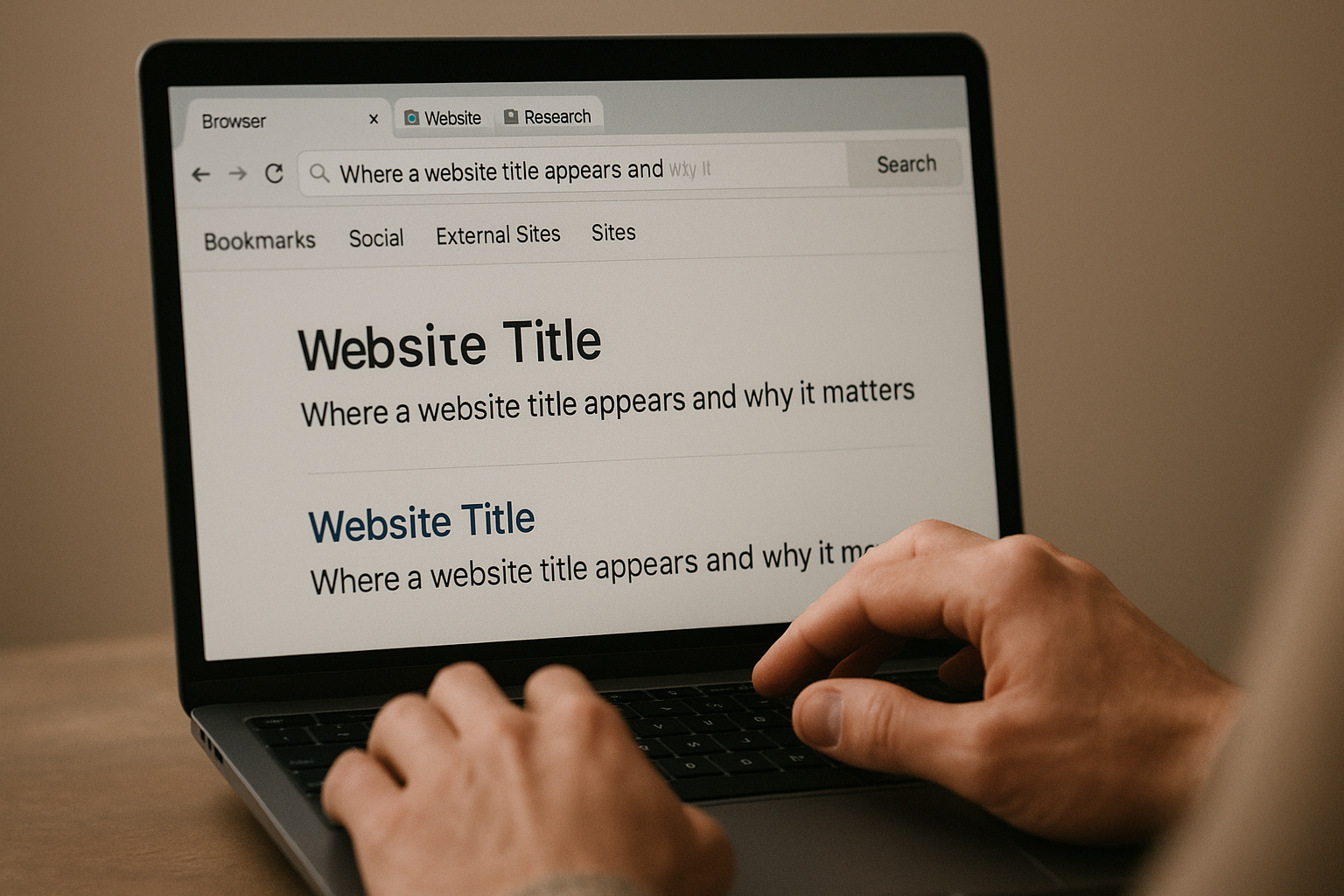
Where a website title appears and why it matters
Your website title works harder than you think. It appears in three critical places, each influencing whether someone clicks through to your page or scrolls past it.
A photograph accompanying Where a website title appears and why it matters. Browser tabs and bookmarks
Open too many tabs and the text shrinks. The website title becomes the only label that identifies your page. A vague title like “Home” forces a visitor to guess which tab is yours. Bookmarks also pull this text as the default saved name.
Search engine results pages
Google displays your website title as the clickable blue headline in search results. It is the first piece of information a searcher judges. A clear, specific title can lift your click-through rate noticeably. A generic or truncated one sends a signal that your page is not relevant.
Social shares and messaging apps
When someone pastes your URL into Slack, iMessage, or LinkedIn, the preview card often pulls your website title as the headline. The same happens on Facebook and X (Twitter) when open-graph tags rely on the title tag. You control the first impression without spending a cent on ads.
Why it matters for SEO
Search engines use the website title as a direct ranking factor. Placing your primary keyword early in the title helps Google understand the page’s topic. But the bigger win is behavioral: a compelling title earns more clicks, and click-through rate is a strong relevance signal that can improve your position over time.
Website title vs. headline vs. URL: quick comparison
Three page elements look similar but serve different readers and different machines. The website title lives in the
tag and appears in browser tabs and search results. The <strong>headline</strong> is the visible </p>
<h1> On the page. The <strong>URL</strong> is the address, with a <strong>slug</strong> — the part of a web address that identifies a specific page in human-readable keywords, often derived from the page title. Keep them related, not identical.</p>
<h3 id="what-each-element-is-actually-for">What each element is actually for</h3>
<p>The website title is your pitch to someone scanning a search results page. It needs the keyword near the front and a reason to click. The headline greets the reader who already arrived. It can be longer, warmer, or more specific without hurting anything.</p>
<p>The URL slug should be the shortest version. Strip out small words like “a” and “for.” A slug that reads <strong>/secure-ecommerce-hosting</strong> works better than one repeating your full 60-character title with spaces converted to dashes.</p>
<h3 id="why-you-should-not-copy-and-paste-the-same-text">Why you should not copy and paste the same text</h3>
<p>Search engines tolerate some overlap, but exact duplication wastes two chances to rank. For example, suppose your title tag says “Secure E-Commerce Hosting for Small Shops | 360Locker.” Your </p>
<h1> Might read “Launch a secure online store without the technical hassle.” The URL could be <strong>/secure-ecommerce-hosting</strong>.</p>
<p>Each element now does its own job: the title targets the query, the headline speaks to the visitor, and the slug stays tidy. Use the headline to say what the title only hints at.</p>
<h2 id="how-to-write-a-strong-website-title-step-by-step">How to write a strong website title step by step</h2>
<p>Place your primary keyword near the front, then follow it with a short promise or category that shows why the page exists. A clear sequence helps both a reader scanning a crowded results page and a crawler parsing relevance.</p>
<h3 id="start-with-the-keyword-you-actually-want-to-rank-for">Start with the keyword you actually want to rank for</h3>
<p>Open the title with the phrase someone would type into a search box. “Handmade Leather Wallets – Buy Online” works harder than “Buy Online – Handmade Leather Wallets” because engines weigh early words more heavily. Write it in plain English, not a string of terms. Never force a location or brand up front unless that is the search you are chasing.</p>
<h3 id="add-one-sharp-descriptor-then-the-brand-name">Add one sharp descriptor, then the brand name</h3>
<p>After the keyword, add a brief modifier — a benefit, a format, or a differentiator like “Free Shipping” or “2025 Guide.” Separate sections with a pipe or a hyphen, not commas that blur the structure into a single long phrase. Finish with your brand name for recognition, but drop it when the title already threatens to truncate. Title truncation happens when a search engine cuts off the display at roughly 60 characters, burying anything beyond that ellipsis.</p>
<h3 id="shorten-until-the-whole-message-fits-in-a-glance">Shorten until the whole message fits in a glance</h3>
<p>Keep the total to 50–60 characters. Test your draft in a browser tab: if the tab label trails off mid-word, a searcher loses the part you paid for with your click-through rate. Cut dates that will age poorly, remove filler like “Welcome to,” and never let two pages share the same title. A unique title per page tells search engines and visitors exactly what is different here.</p>
<h2 id="common-mistakes-that-hurt-your-seo-and-click-throughs">Common mistakes that hurt your SEO and click-throughs</h2>
<p>Even a well-planned page can underperform if its website title contains a basic error. Search engines rely on the title to understand your content and decide what to show users. A confusing or missing signal often drops you below competitors who got the details right.</p>
<figure class="rf-inline-image" style="margin:1.5rem auto;text-align:center;width:100%;max-width:960px;"><img src="https://htoqvcjqamvvlazremsp.supabase.co/storage/v1/object/public/article-images/030cfa2b-a1e5-4694-9d3b-0026767f896c/website-title-common-mistakes-that-hurt-your-seo-and-click-throughs-1790455645810.png" alt="Common mistakes that hurt your SEO and click-throughs — What a website title is and how to write one that ranks" width="1280" loading="lazy" decoding="async" style="width:100%;max-width:100%;height:auto;border-radius:8px;display:block;margin:0 auto;" /><figcaption style="font-size:0.85rem;line-height:1.45;color:#666;margin-top:0.5rem;">A photograph accompanying Common mistakes that hurt your SEO and click-throughs.</figcaption></figure>
<h3 id="missing-or-duplicate-title-tags">Missing or duplicate title tags</h3>
<p>A page without a <strong>website title</strong> forces Google to guess by generating its own link text. The result rarely reflects your actual page content. Equally harmful, using the same “Home” or “Services” title across multiple pages makes them compete against each other. Give every page a unique, descriptive title that matches its specific purpose.</p>
<h3 id="keyword-stuffing-reads-as-spam">Keyword stuffing reads as spam</h3>
<p>Repeating a phrase like “Cheap Web Design London, Affordable Web Design London” makes your brand look robotic. Modern algorithms penalize unnatural repetition and users scroll past it. Your primary keyword belongs once, naturally, near the front of the title. After that, prioritize clarity and a compelling reason to click.</p>
<h3 id="truncation-hides-the-most-useful-words">Truncation hides the most useful words</h3>
<p>A title that cuts off mid-sentence in the search results loses vital context. Keep your most important words within the first 55 to 60 characters. Pushing a unique selling point or a location beyond the visible limit buries the information a searcher needs to choose you. Test your most important pages by searching for them and checking the display.</p>
<h3 id="leading-with-the-brand-name-everywhere">Leading with the brand name everywhere</h3>
<p>Your homepage title should feature your brand, but leading with “360Locker” on a blog post or a service page wastes the most valuable visible space. Put the specific page topic first to match the user’s query, then add your brand at the end with a pipe or dash separator. This structure builds recognition without diluting the relevance of internal pages.</p>
<h2 id="real-world-examples-of-effective-website-titles">Real-world examples of effective website titles</h2>
<p>Effective website titles do two jobs at once. They tell a search engine exactly what the page offers, and they give a real person a reason to click. The best ones combine a clear primary keyword with a short benefit statement or qualifier. Look at a few that get this right.</p>
<h3 id="how-do-e-commerce-sites-structure-a-product-page-website-tit">How do e‑commerce sites structure a product‑page website title?</h3>
<p>“Buy Wool Runner Sneakers | Allbirds” works because it starts with the action a shopper wants to take. The primary keyword “Wool Runner Sneakers” appears immediately. The brand follows the pipe separator, keeping the title under 60 characters and avoiding truncation. A search engine sees a precise product, and a user sees a trustworthy brand before they even visit the page.</p>
<h3 id="what-makes-a-service-page-website-title-effective">What makes a service‑page website title effective?</h3>
<p>“Affordable Web Design for Startups | 360Locker” targets a specific reader: a founder watching their budget. “Affordable” addresses a price objection upfront. “for Startups” narrows the promise so the click is more qualified. The brand name closes the title, building recognition for every impression the page earns.</p>
<h3 id="why-does-a-blog-post-website-title-benefit-from-naming-its-a">Why does a blog‑post website title benefit from naming its audience?</h3>
<p>“What Is Responsive Design? A Beginner’s Guide” succeeds because it matches a question people actually type. The phrase “A Beginner’s Guide” signals that no prior knowledge is needed. A reader who feels intimidated by technical jargon clicks with confidence, which improves click‑through rate. The title uses plain language, avoids keyword stuffing, and fits comfortably in a search snippet.</p>
<p>Each example shares a common pattern: place the most important term first, add a compelling qualifier, separate the brand with a pipe, and keep the whole string short enough to display completely on a mobile results page.</p>
<h2 id="how-360locker-applies-title-best-practices">How 360Locker applies title best practices</h2>
<p>Every page we build gets a unique, hand-optimized website title as part of our SEO service. We do not generate titles from templates. A fintech landing page, a starter services page, and a blog post each receive different keyword placement, length, and brand treatment.</p>
<figure class="rf-inline-image" style="margin:1.5rem auto;text-align:center;width:100%;max-width:960px;"><img src="https://htoqvcjqamvvlazremsp.supabase.co/storage/v1/object/public/article-images/030cfa2b-a1e5-4694-9d3b-0026767f896c/website-title-how-360locker-applies-title-best-practices-1790455644328.png" alt="How 360Locker applies title best practices — What a website title is and how to write one that ranks" width="1280" loading="lazy" decoding="async" style="width:100%;max-width:100%;height:auto;border-radius:8px;display:block;margin:0 auto;" /><figcaption style="font-size:0.85rem;line-height:1.45;color:#666;margin-top:0.5rem;">A photograph accompanying How 360Locker applies title best practices.</figcaption></figure>
<p>We align each title with OWASP-reviewed security headers. That means the trust you promise in a title like “Secure Payment API for Fintech” is backed by hardened headers, zero-trust access, and HTTPS/SSL from the first visit. A title is a promise; security makes it true.</p>
<h3 id="performance-behind-every-title">Performance behind every title</h3>
<p>Our hosting environment supports fast-loading pages. If a title promises speed, the page must deliver. We configure caching, compression, and CDN-backed delivery so the click doesn’t lead to a slow, disappointing load.</p>
<p>For existing projects, title optimization starts on day one. Our free content migration moves your current pages onto our faster infrastructure, then we rewrite titles to match the new performance and the search intent you want to capture.</p>
<p>Starter websites from $29 per month include this title work from the outset. You do not pay extra to get the fundamentals right.</p>
<div class="rf-key-takeaways">
<h2>Key takeaways</h2>
<ul>
<li>The website title is a concise, unique HTML tag shown in browser tabs and search results—not the on-page headline.</li>
<li>A strong title includes the main keyword near the front, stays under 60 characters, and gives a clear reason to click.</li>
<li>Each page needs its own distinct title; duplicate or vague titles harm SEO and user experience.</li>
<li>The title influences both search rankings and click-through rates, making it one of the most critical on-page SEO elements.</li>
</ul>
</div>
<p><script type="application/ld+json">{"@context":"https://schema.org","@graph":[{"@type":"Organization","@id":"https://360locker.com/#organization","name":"360locker.com","url":"https://360locker.com/"},{"@type":"WebSite","@id":"https://360locker.com/#website","url":"https://360locker.com/","name":"360locker.com","publisher":{"@id":"https://360locker.com/#organization"},"inLanguage":"en"},{"@type":"BreadcrumbList","@id":"https://360locker.com/what-is-a-website-title-2/#breadcrumb","itemListElement":[{"@type":"ListItem","position":1,"name":"Home","item":"https://360locker.com/"},{"@type":"ListItem","position":2,"name":"What a website title is and how to write one that ranks","item":"https://360locker.com/what-is-a-website-title-2/"}]},{"@type":"WebPage","@id":"https://360locker.com/what-is-a-website-title-2/#webpage","url":"https://360locker.com/what-is-a-website-title-2/","name":"What a website title is and how to write one that ranks","description":"Learn what a website title is, how it differs from a headline or URL, and why it’s crucial for SEO. Includes practical examples and writing tips.","isPartOf":{"@id":"https://360locker.com/#website"},"breadcrumb":{"@id":"https://360locker.com/what-is-a-website-title-2/#breadcrumb"},"inLanguage":"en","primaryImageOfPage":{"@type":"ImageObject","url":"https://htoqvcjqamvvlazremsp.supabase.co/storage/v1/object/public/article-images/030cfa2b-a1e5-4694-9d3b-0026767f896c/website-title-1790455605208.png"}},{"@type":"Person","@id":"https://360locker.com/what-is-a-website-title-2/#author","name":"Injamam"},{"@type":"Article","@id":"https://360locker.com/what-is-a-website-title-2/#article","isPartOf":{"@id":"https://360locker.com/what-is-a-website-title-2/#webpage"},"mainEntityOfPage":{"@id":"https://360locker.com/what-is-a-website-title-2/#webpage"},"headline":"What a website title is and how to write one that ranks","description":"Learn what a website title is, how it differs from a headline or URL, and why it’s crucial for SEO. Includes practical examples and writing tips.","inLanguage":"en","author":{"@id":"https://360locker.com/what-is-a-website-title-2/#author"},"publisher":{"@id":"https://360locker.com/#organization"},"keywords":"website title","image":{"@type":"ImageObject","url":"https://htoqvcjqamvvlazremsp.supabase.co/storage/v1/object/public/article-images/030cfa2b-a1e5-4694-9d3b-0026767f896c/website-title-1790455605208.png"},"datePublished":"2026-09-26T21:00:57.000Z","dateModified":"2026-09-26T21:00:56.569Z"}]}</script><br />
<script async src="https://rank-forge-x7vw.onrender.com/track.js" data-site="5832f85f743841c48655870b3fc8740d"></script></p>
</div><!-- .entry-content .clear -->
</div>
</article><!-- #post-## -->
<nav class="navigation post-navigation" aria-label="Posts">
<div class="nav-links"><div class="nav-previous"><a title="What website maintenance services cover and cost in 2026" href="https://360locker.com/website-maintenance-services-guide/" rel="prev"><span class="ast-left-arrow" aria-hidden="true">←</span> Previous Post</a></div><div class="nav-next"><a title="What a web belt actually is and how to choose one" href="https://360locker.com/what-is-a-web-belt/" rel="next">Next Post <span class="ast-right-arrow" aria-hidden="true">→</span></a></div></div>
</nav> </main><!-- #main -->
</div><!-- #primary -->
</div> <!-- ast-container -->
</div><!-- #content -->
<footer
class="site-footer" id="colophon" itemtype="https://schema.org/WPFooter" itemscope="itemscope" itemid="#colophon">
<div class="site-primary-footer-wrap ast-builder-grid-row-container site-footer-focus-item ast-builder-grid-row-3-equal ast-builder-grid-row-tablet-full ast-builder-grid-row-mobile-full ast-footer-row-stack ast-footer-row-tablet-stack ast-footer-row-mobile-stack" data-section="section-primary-footer-builder">
<div class="ast-builder-grid-row-container-inner">
<div class="ast-builder-footer-grid-columns site-primary-footer-inner-wrap ast-builder-grid-row">
<div class="site-footer-primary-section-1 site-footer-section site-footer-section-1">
<div class="footer-widget-area widget-area site-footer-focus-item" data-section="section-footer-menu">
</div>
</div>
<div class="site-footer-primary-section-2 site-footer-section site-footer-section-2">
<aside
class="footer-widget-area widget-area site-footer-focus-item" data-section="sidebar-widgets-footer-widget-4" aria-label="Footer Widget 4" role="region" >
<div class="footer-widget-area-inner site-info-inner"><section id="block-47" class="widget widget_block widget_media_image"></section></div> </aside>
</div>
<div class="site-footer-primary-section-3 site-footer-section site-footer-section-3">
<div class="ast-builder-layout-element ast-flex site-footer-focus-item ast-footer-copyright" data-section="section-footer-builder">
<div class="ast-footer-copyright"><p>Copyright © 2026 360Locker</p>
</div> </div>
</div>
</div>
</div>
</div>
</footer><!-- #colophon -->
</div><!-- #page -->
<script type="speculationrules">
{"prefetch":[{"source":"document","where":{"and":[{"href_matches":"/*"},{"not":{"href_matches":["/wp-*.php","/wp-admin/*","/wp-content/uploads/*","/wp-content/*","/wp-content/plugins/*","/wp-content/themes/astra/*","/*\\?(.+)"]}},{"not":{"selector_matches":"a[rel~=\"nofollow\"]"}},{"not":{"selector_matches":".no-prefetch, .no-prefetch a"}}]},"eagerness":"conservative"}]}
</script>
<script type="text/javascript">
jQuery(function(){
var arrLiveStats=[];
var P_PREFIX="wsm";
jQuery(".if-js-closed").removeClass("if-js-closed").addClass("closed");
var wsmFnSiteLiveStats=function(){
jQuery.ajax({
type: "POST",
url: wsm_ajaxObject.ajax_url,
data: { action: 'liveSiteStats', requests: JSON.stringify(arrLiveStats), r: Math.random() }
}).done(function( strResponse ) {
if(strResponse!="No"){
arrResponse=JSON.parse(strResponse);
jQuery.each(arrResponse, function(key,value){
$element= document.getElementById(key);
oldValue=parseInt($element.getAttribute("data-value").replace(/,/g, ""));
diff=parseInt(value.replace(/,/g, ""))-oldValue;
$class="";
if(diff>=0){
diff="+"+diff;
}else{
$class="wmcRedBack";
}
$element.setAttribute("data-value",value);
$element.innerHTML=diff;
jQuery("#"+key).addClass($class).show().siblings(".wsmH2Number").text(value);
if(key=="SiteUserOnline")
{
var onlineUserCnt = arrResponse.wsmSiteUserOnline;
if(jQuery("#wsmSiteUserOnline").length)
{
jQuery("#wsmSiteUserOnline").attr("data-value",onlineUserCnt); jQuery("#wsmSiteUserOnline").next(".wsmH2Number").html("<a target=\"_blank\" href=\"admin.php?page=wsm_traffic&subPage=UsersOnline&subTab=summary\">"+onlineUserCnt+"</a>");
}
}
});
setTimeout(function() {
jQuery(".site_stats_panel .wsmBoxUPDdataTIP").removeClass("wmcRedBack").hide();
}, 1500);
}
});
}
if(arrLiveStats.length>0){
setInterval(wsmFnSiteLiveStats, 10000);
}});
</script> <script>
( () => {
const lazyloadRunObserver = () => {
const lazyloadBackgrounds = document.querySelectorAll( `.e-con.e-parent:not(.e-lazyloaded)` );
const lazyloadBackgroundObserver = new IntersectionObserver( ( entries ) => {
entries.forEach( ( entry ) => {
if ( entry.isIntersecting ) {
let lazyloadBackground = entry.target;
if( lazyloadBackground ) {
lazyloadBackground.classList.add( 'e-lazyloaded' );
}
lazyloadBackgroundObserver.unobserve( entry.target );
}
});
}, { rootMargin: '200px 0px 200px 0px' } );
lazyloadBackgrounds.forEach( ( lazyloadBackground ) => {
lazyloadBackgroundObserver.observe( lazyloadBackground );
} );
};
const events = [
'DOMContentLoaded',
'elementor/lazyload/observe',
];
events.forEach( ( event ) => {
document.addEventListener( event, lazyloadRunObserver );
} );
} )();
</script>
<style id="core-block-supports-inline-css">
/**
* Core styles: block-supports
*/
/*# sourceURL=core-block-supports-inline-css */
</style>
<script id="astra-theme-js-js-extra">
var astra = {"break_point":"921","isRtl":"","is_scroll_to_id":"","is_scroll_to_top":"","is_header_footer_builder_active":"1","responsive_cart_click":"flyout","is_dark_palette":""};
//# sourceURL=astra-theme-js-js-extra
</script>
<script id="astra-theme-js-js" src="https://360locker.com/wp-content/themes/astra/assets/js/unminified/frontend.js?ver=4.14.0"></script>
<script id="wp-dom-ready-js" src="https://360locker.com/wp-includes/js/dist/dom-ready.js?ver=3fe927cab37bf38d6a23"></script>
<script id="starter-templates-zip-preview-js-extra">
var starter_templates_zip_preview = {"AstColorPaletteVarPrefix":"--ast-global-color-","AstEleColorPaletteVarPrefix":["ast-global-color-0","ast-global-color-1","ast-global-color-2","ast-global-color-3","ast-global-color-4","ast-global-color-5","ast-global-color-6","ast-global-color-7","ast-global-color-8"]};
//# sourceURL=starter-templates-zip-preview-js-extra
</script>
<script id="starter-templates-zip-preview-js" src="https://360locker.com/wp-content/plugins/astra-sites/inc/lib/onboarding/assets/dist/template-preview/main.js?ver=089983451e6a251a0ab9"></script>
<script id="astra-addon-js-js-extra">
var astraAddon = {"is_elementor_active":"1","sticky_active":"","svgIconClose":"\u003Cspan class=\"ast-icon icon-close\"\u003E\u003C/span\u003E","hf_account_show_menu_on":"hover","hf_account_action_type":"link","hf_account_logout_action":"link","header_main_stick":"0","header_above_stick":"0","header_below_stick":"0","stick_header_meta":"","header_main_stick_meta":"","header_above_stick_meta":"","header_below_stick_meta":"","sticky_header_on_devices":"desktop","sticky_header_style":"none","sticky_hide_on_scroll":"0","break_point":"921","tablet_break_point":"921","mobile_break_point":"544","header_main_shrink":"1","header_animation_effect":"none","header_logo_width":"","responsive_header_logo_width":{"desktop":"180","tablet":"","mobile":"160"},"stick_origin_position":"","site_layout":"ast-full-width-layout","site_content_width":"1240","site_layout_padded_width":"1200","site_layout_box_width":"1200","header_builder_active":"1","component_limit":"10","is_header_builder_active":"1"};
//# sourceURL=astra-addon-js-js-extra
</script>
<script id="astra-addon-js-js" src="https://360locker.com/wp-content/uploads/astra-addon/astra-addon-6ab13af14425e3-36837983.js?ver=4.13.9"></script>
<script id="astra-dom-purify-js" src="https://360locker.com/wp-content/plugins/astra-addon/assets/js/minified/purify.min.js?ver=4.13.9"></script>
<script id="googlesitekit-events-provider-content-events-js-before">
window._googlesitekit = window._googlesitekit || {};
window._googlesitekit.contentEvents = {"postID":6737,"isSinglePost":true,"hasVimeoEmbed":false};
//# sourceURL=googlesitekit-events-provider-content-events-js-before
</script>
<script id="googlesitekit-events-provider-content-events-js" src="https://360locker.com/wp-content/plugins/google-site-kit/dist/assets/js/googlesitekit-events-provider-content-events-c7172f3fd0e4d5ad62ef.js" defer></script>
<script>
/(trident|msie)/i.test(navigator.userAgent)&&document.getElementById&&window.addEventListener&&window.addEventListener("hashchange",function(){var t,e=location.hash.substring(1);/^[A-z0-9_-]+$/.test(e)&&(t=document.getElementById(e))&&(/^(?:a|select|input|button|textarea)$/i.test(t.tagName)||(t.tabIndex=-1),t.focus())},!1);
</script>
</body>
</html>
<!-- Page cached by LiteSpeed Cache 7.9.1 on 2026-10-01 19:53:45 -->