

Quick answer: A PWA is a web app that works across all platforms, while a TWA is Android-only and distributed via Google Play. For e-commerce, a PWA generally offers broader reach and better SEO, while a TWA is better if you need a Play Store presence and native Android features.
Key takeaways
- PWA works on all devices via browsers; TWA is exclusive to Android.
- PWA has lower development cost and better SEO potential; TWA offers Google Play distribution.
- TWA requires an existing PWA and adds WebView overhead; PWA is lighter and faster.
- For global e-commerce, PWA is recommended; for Android-focused apps, TWA may be beneficial.
- TWA does not work on iOS, limiting your market reach.
Quick Verdict: Which Should You Choose?
For most e-commerce businesses in 2026, a Progressive Web App (PWA) is the better choice because it works on all devices, delivers superior SEO, and costs less to build. A Trusted Web Activity (TWA) only makes sense if you have a large Android user base and specifically need a Google Play Store presence. However, a TWA excludes iOS users entirely, so if you sell to both US and UK audiences, a PWA gives you far broader market coverage for the same content.
PWA vs TWA: At a Glance
The table below compares the two technologies across the attributes that matter most for e-commerce decision-makers. Use it to spot the trade-offs quickly before reading the detailed sections.
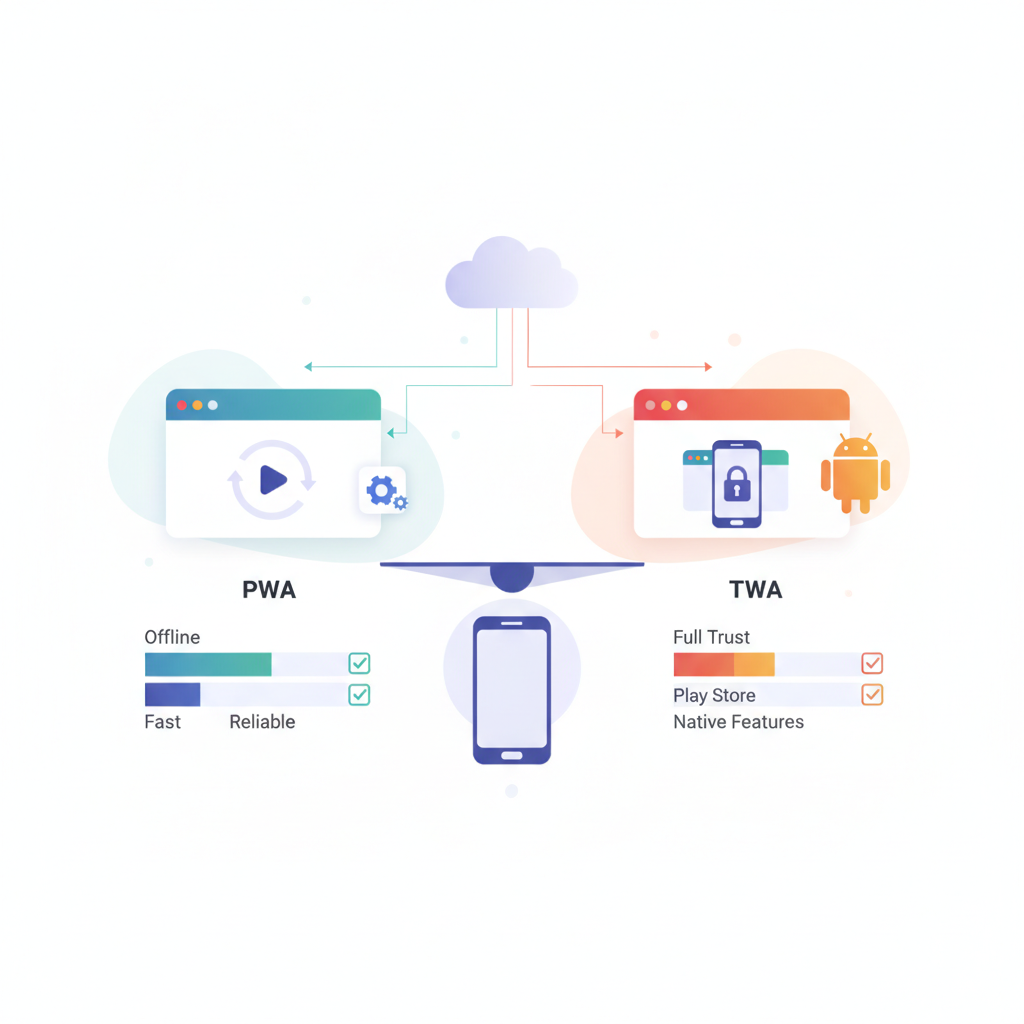
| Attribute | PWA (Progressive Web App) | TWA (Trusted Web Activity) |
|---|---|---|
| Installation | From any browser via “Add to Home Screen” | From Google Play Store only |
| Platform support | Android, iOS, Windows, macOS | Android only |
| Development complexity | Low to medium (web tech only) | Medium (requires PWA plus Android wrapper) |
| Offline support | Yes, via service workers | Yes, inherits from underlying PWA |
| Native capabilities | Limited (growing via web APIs) | Limited (relies on Android WebView) |
| SEO | Excellent (crawlable URLs) | Same as PWA (not separately indexed) |
| Browser compatibility | All modern browsers | Chrome and Android WebView only |
| Cost | Lower if you have a responsive site | Higher (wrapper + Play Store fee) |
| Best for | Broad reach, SEO, budget-conscious teams | Android-focused audiences wanting Play Store trust |
What Is a PWA and Where It Shines
A PWA (Progressive Web App) is a web application that uses modern browser capabilities to deliver an app-like experience. It is installable, works offline, and runs on any device with a modern browser — no app store approval required. According to Google, PWAs can load in under 2 seconds on average when properly optimized, which matters because 53% of mobile users abandon sites that take longer than 3 seconds to load.
Where a PWA wins for e-commerce
PWAs give you universal reach. One codebase works on Android, iOS, Windows, and macOS, so you do not need separate development teams. This is critical for selling in both the United States and the United Kingdom, where iPhone market share is significant — Apple devices account for roughly 54% of US smartphone users.
SEO is another major advantage. Because a PWA is a website first, search engines crawl and index it directly. That means your product pages can rank in Google, driving organic traffic alongside your app experience. For e-commerce, this organic channel often delivers higher ROI than paid acquisition.
Cost is also lower. If you already have a responsive website, converting it to a PWA typically costs far less than building a native app. Many agencies, including 360Locker, offer PWA development as part of broader web packages, with plans starting around $29 per month in the US or from roughly £23 per month in the UK.
Where a PWA misses the mark
PWAs cannot access every native device feature. You get limited access to contact lists, advanced push notification scheduling, and complex hardware integrations like NFC payments in some cases. Heavy 3D gaming or apps requiring deep Bluetooth control will struggle as PWAs. For most e-commerce use cases — browsing, cart, checkout — this limitation rarely matters, but it is worth knowing upfront.
What Is a TWA and Where It Shines
A TWA (Trusted Web Activity) is a method of wrapping your PWA inside an Android app shell using a system component called a WebView. The result is distributed through the Google Play Store, appearing to users as a native Android app while actually rendering your web content. Think of it as a container that makes your website look and act like an app in Google’s official store.
Where a TWA wins
The primary advantage is Play Store visibility. Some users do not trust installing apps from browsers and prefer the familiar Play Store experience. According to Statista, Google Play hosts over 3.5 million apps as of 2026, and having a listing there can build credibility with Android-first audiences. TWAs also support Android’s billing system, which simplifies in-app purchases for digital goods.
TWAs inherit all the offline and performance benefits of your underlying PWA. If your PWA is fast with solid caching, your TWA will perform similarly on Android devices.
Where a TWA falls short
TWAs are Android-only. That is the biggest limitation. iOS users cannot install a TWA, and Apple’s Safari does not support the WebView technology TWAs depend on. In the UK and US combined, iOS holds roughly 45% of the smartphone market, so a TWA alone cuts off nearly half your potential mobile customers.
There are also hidden costs. You must register with the Google Play Store — a one-time $25 USD fee — and you need to set up a Digital Asset Links file to verify your domain ownership. This is a security requirement that many developers overlook. Additionally, you must maintain the Android shell itself, which adds to your ongoing development workload.
Key Considerations for E-commerce in 2026
The technical landscape has evolved, and several factors now shape the PWA vs TWA decision for online stores in the US and UK.

Speed and performance
PWAs are generally faster because they cache assets directly in the browser. TWAs add a WebView layer, which introduces slight overhead. According to Google’s research, a 1-second delay in mobile load times can reduce conversions by up to 20%. For e-commerce, that directly impacts revenue.
SEO impact
PWA wins here outright. Search engines crawl your PWA’s URLs directly, meaning your product pages, category pages, and blog content all contribute to rankings. A TWA does not improve SEO — it simply wraps your already-indexed PWA. The Play Store listing itself does not generate organic web search traffic.
Localization for US and UK markets
If you sell in both the US and UK, a PWA handles localization more gracefully. You can serve different content, currencies (USD and GBP), and payment methods like Apple Pay, Google Pay, and PayPal through the same codebase. TWAs face additional friction because Play Store listings require separate configuration for each country and currency display.
User experience and trust
PWAs offer a consistent experience across every device, which builds familiarity for returning customers. TWAs leverage Play Store branding, which some users find more trustworthy. However, a TWA’s “native feel” depends entirely on how well you implement the Android shell—a poorly built TWA feels worse than a good PWA.
Which One Fits Your Budget and Resources?
Budget is often the deciding factor for small teams and startups. Here is a practical comparison of what each path costs in relative terms.
- PWA from scratch: If you have no website, expect to pay for design, development, and hosting. Agencies like 360Locker offer plans starting around $29/month in the US or £23/month in the UK. Average delivery runs 30–60 days for a full build.
- Converting a responsive site to PWA: This is usually the cheapest route. You add a service worker, manifest file, and offline strategies. Most agencies charge 10–20% of the original build cost for this work.
- TWA on top of a PWA: You need Android development skills, Digital Asset Links setup, and Play Store registration ($25 USD one-time). This adds roughly 10–15 hours of developer time compared to the PWA alone.
- TWA from an existing native app: If you already have a native Android app, adding a TWA for web content is straightforward. But you still maintain two codebases: the native app and the PWA.
For startups on a tight budget, the PWA-first approach is almost always more cost-effective. You get one codebase, one deployment pipeline, and one team working on web and mobile simultaneously.
Real-World Advice for E-commerce Owners
Here is practical guidance for making the final decision, based on how real merchants in the US and UK have navigated this choice.
Start with a PWA, add a TWA later
The most sensible strategy is progressive enhancement. Launch your e-commerce store as a PWA first. Test your site’s performance with tools like Google Lighthouse to ensure you meet installability criteria — a score of 90+ for Performance, PWA, and Accessibility is a solid target. Once your PWA is proven and you have data showing strong Android engagement, consider wrapping it in a TWA for Play Store distribution.
When to skip the TWA entirely
If your audience splits evenly between iOS and Android, a TWA adds cost without covering iOS users. In this case, your PWA on iOS via Safari’s “Add to Home Screen” covers everyone. Remember that iOS does not support TWAs at all, so a TWA cannot be your only mobile strategy if you sell in both the US and UK.
Do not forget hosting and security
Both PWAs and TWAs require solid hosting and security to build customer trust. HTTPS is mandatory for PWAs — browsers will not install an insecure PWA. For 2026 specifically, look for hosting with SSL certificates, Web Application Firewall (WAF), and Content Delivery Network (CDN) included. Companies like 360Locker offer security-first hosting with OWASP-aligned reviews and 99.95% uptime, which supports both PWA and TWA deployments.
Final Thoughts for 2026
In 2026, the gap between web and native capabilities continues to narrow. Web Push notifications, Bluetooth APIs, and payment request APIs are maturing, making PWAs viable for nearly all e-commerce scenarios. TWA remains a useful tool only when Google Play presence is a strategic necessity. For most merchants selling in the US and UK, a PWA delivers wider reach, better SEO, lower cost, and simpler maintenance. Choose a PWA unless you have a specific, data-driven reason to be in the Play Store.
Frequently Asked Questions
What is the difference between a PWA and a TWA for e-commerce?
PWA is a web app installable on any platform via browser; TWA is an Android app wrapper for a PWA, distributed via Google Play. PWA works everywhere, TWA only on Android.
Which is better for e-commerce: PWA or TWA?
For most e-commerce, PWA is better because it reaches both Android and iOS users with lower cost and better SEO. TWA is only beneficial if you specifically need Google Play presence.
Can a TWA be installed on iOS?
No, TWA is Android-only and cannot be installed on iOS. PWAs can be installed on iOS via Safari.
Does a PWA work on all devices?
Yes, PWAs work on any modern browser across operating systems, including Android, iOS, Windows, and macOS.
What are the costs of developing a PWA vs a TWA?
PWA cost is typically lower if you have a responsive website; TWA adds development for the Android shell and a one-time $25 Play Store registration fee.
Which has better SEO: PWA or TWA?
PWA has better SEO because it is a web app accessible via URLs and easily indexed by search engines. TWA relies on the underlying PWA's SEO.